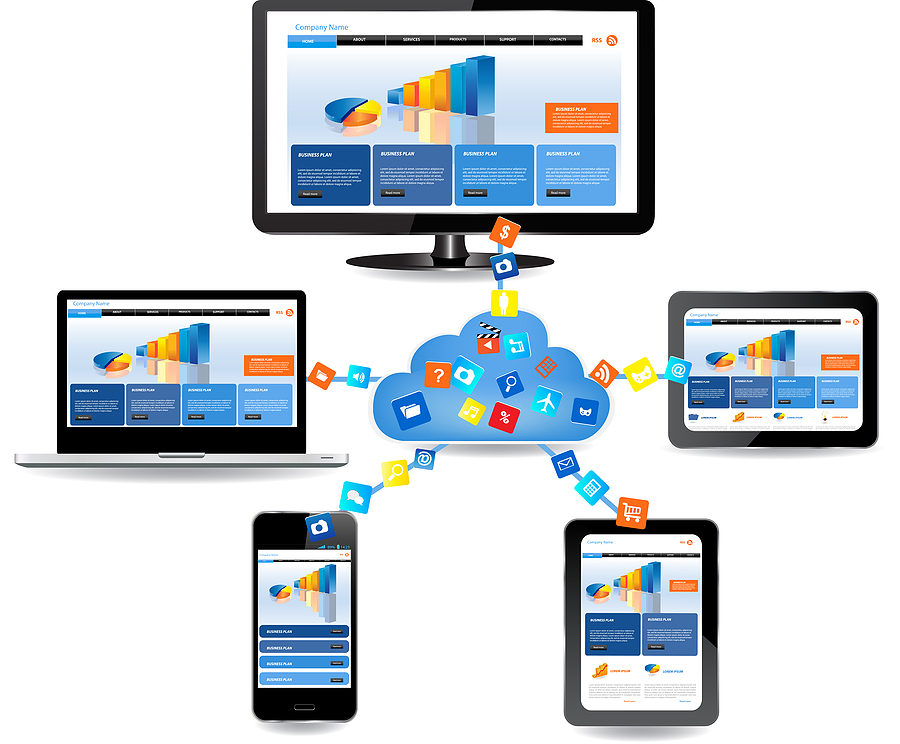
IT asset disposal is a unique process that must be taken seriously, with proper precautions and steps put in place to ensure it is done effectively and securely. Almost all businesses today need an ITAD plan due to the increase in technology and IT devices used in their facilities. We can expect IT asset disposal to become even more industry standard with the rise of cloud-managed hardware. Let’s get into how to decommission cloud-connected devices securely and why it’s so important to do it properly.
What is a Cloud-Connected Device?
First off, what is a cloud-connected device? Ultimately, it is a device that is connected, in any way, to the “cloud” or IoT. This could include IoT sensors, smart cameras, conference room systems, printers, POS systems, laptops, mobile devices, and AI devices. We are seeing an increase in these cloud-connected devices as technology advances, and we rely on the cloud to store more information each day. It’s crucial to dispose of cloud-connected devices properly through ITAD due to the increased risk of data leaks and breaches that could be detrimental.
Security Risks With Decommissioning Cloud-Connected Hardware
With cloud-connected hardware, there is an added security risk because it is connected to the cloud, where information is sent and received. This means that the data doesn’t just live on the physical device but also in the IoT, increasing the risk of data leaks. Here are some of the most common security risks when it comes to decommissioning cloud-connected hardware:
Registration and Ownership Issues
Because much of the information is stored in the cloud and accessed via login, someone could gain access to these credentials. The devices could be registered to the organization in the cloud, where they’ll have access to them, or reactivation of the devices by an unauthorized party is a possibility if they gain access to the credentials. When disposing of cloud-connected devices, the registration should be cleared, and the device should be free of any “authority” over it.
Stored Credentials
When we use technology to log in to systems or access information, the device stores this information in its cache, along with other data stored on the device. Cached logging, certificated, SSH keys, and API keys are all examples of credentials and tokens that could be accessed during or after decommissioning. Even after a device reset, this information can still be accessed, making it important to properly dispose of the device and clean its contents to maintain security.
Remote Access
Many of today’s devices, systems, and technologies can be accessed remotely. Remote monitoring agents and admin tools can be accessed by unauthorized parties if the system is not properly shut down and disposed of. Due to the remote nature of these, many people gain remote access to systems, making it important to ensure that all unauthorized parties are unable to access the information post-disposal.
Data Storage
Data is stored in a variety of ways, running the risk of hidden storage that goes unnoticed and remains accessible if not decommissioned: SD cards, internal memory, logs, and call history. Camera footage, event logs, and cached files are all a part of hidden data storage that should be considered when securely decommissioning your devices.
How to Securely Decommission Your Devices
Understanding the risks and why decommissioning is so important is the first step toward creating an ITAD plan that covers all the bases. There are a few key steps that should be taken when decommissioning your device, and we’ve compiled them into this step-by-step list for ease:
Take Inventory
The very first thing you should do during an ITAD process is take inventory of all devices, including their model, serial number, and MAC address. Take note of which cloud portal each device is connected to, whether it’s Apple, Google, or Microsoft. Keep all of this information accurate and accessible as you move through the process.
Backup Your Devices
If there is information you need to back up and keep, do so to ensure it is accessible to you after disposal. Logs for compliance needs and configuration backups are examples of what you may want to back up before ITAD.
Remove from Cloud Management Platforms
Be sure to remove the devices from the cloud software to deactivate them and prevent information sharing. Unenroll from the IoT platforms, delete the device profiles, and revoke management access to ensure there is no unauthorized access.
Revoke Credentials
Remove all credentials and possible access to the devices by disabling device accounts, revoking tokens, removing certificates, and removing or changing credentials. This is vital, as many may still have access to information on the device using old credentials, login information, or device accounts, leading to potential data leaks.
Securely Wipe Storage
Wipe the internal storage using an approved method, and remove and wipe any SD cards or other removable storage. Ensure that the information has been securely and fully wiped from the devices to prevent data exposure.
Confirm Decommissioning in Cloud Console
Lastly, you’ll want to ensure the device is no longer active and cannot be checked back in. This is essential to ensure that there is no possible access to the device once the demission process is completed.
Chain of Custody With Cloud-Connected Devices
Chain of custody is an important part of the ITAD process because it verifies that the process has been performed properly and has been fully documented for compliance purposes. When it comes to cloud-connected devices, there are some specific things that you will want to document to keep up with compliance and ensure that you have the proper records:
- Asset tags
- Serial numbers
- Destruction certificated
- Final disposition records
Common Mistakes when Disposing of Cloud-Connected Devices
These mistakes can cause data leaks and security issues, making it important to avoid them as best as possible. Here’s a look at some of the most common mistakes that organizations make when going through the ITAD process for cloud-connected devices:
- Only factory resetting the device, not wiping it fully
- Missing the removable storage
- Not releasing licenses
- Forgetting to disconnect from the cloud console
- Leaving certificates active after disposal
- Failingto document the process properly
Plan Your Cloud-Connected Device ITAD Process Today
If you are an organization with a typical ITAD process, it’s crucial to ensure you have a cloud-connected device process in place as well. These devices require extra care when disposing of them securely. Follow our tips and ensure you have a plan that’s easily achievable, efficient, and documentable to keep your organization in compliance with IT asset disposal. Work with a professional ITAD partner to keep your records straight and provide ITAD services that are ideal and secure for cloud-connected devices.
